A slow office network is rarely noticed when everything is working well. The problems become obvious when video meetings freeze, cloud applications take too long to respond or employees lose their connection while trying to complete routine tasks. In a busy workplace, these interruptions can quickly become more than minor inconveniences.
Improving a network does not necessarily mean buying the most expensive equipment available. A better approach is to understand how people use the connection, where traffic is concentrated and which parts of the office struggle with coverage. Good planning can often prevent problems before new hardware is installed.
Count Users, Not Just Computers
An office with twenty employees may have far more than twenty connected devices. Staff members can use laptops, smartphones, printers, tablets, desk phones and other network-enabled equipment throughout the working day.
That matters because every active device places some demand on the network. A setup that worked comfortably for a small team may become less effective as the business adds employees and equipment.
Before upgrading anything, create a simple picture of current usage. Count wired and wireless devices, identify heavily used applications and note when performance problems usually occur. This provides a more useful starting point than judging the network solely by internet speed.
Understand What the Router Is Handling
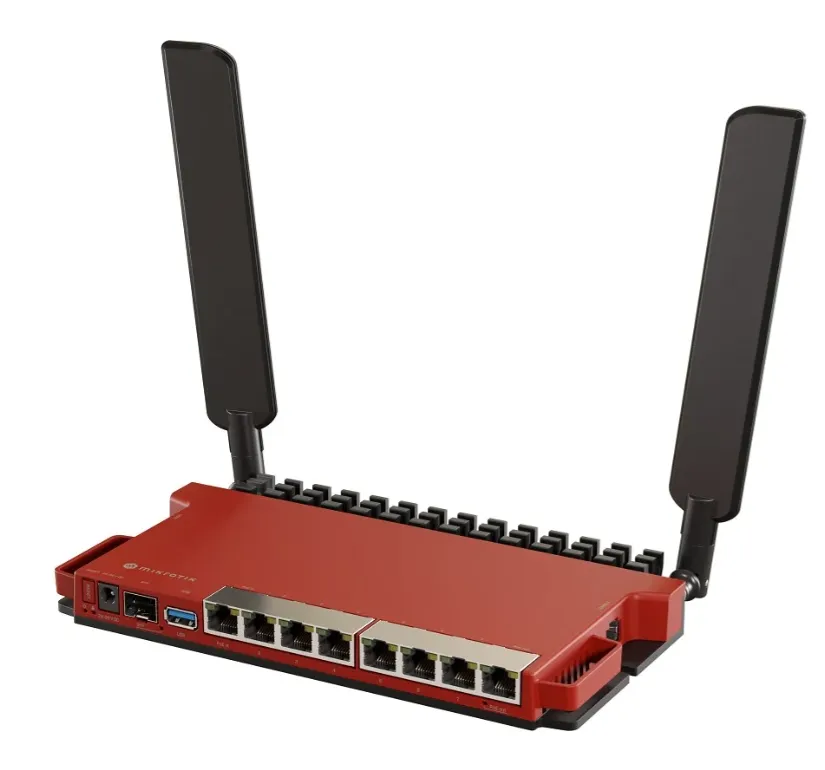
The router plays an important role in directing traffic between the local network and internet connection. In smaller environments, one device may handle several networking functions. Growing offices can require a more carefully planned arrangement.
Businesses researching Routers in Kenya should consider the number of users, available connection types and the demands placed on the network. Features that are useful for a small home setup may not necessarily meet the requirements of a busy workplace.
Placement also matters. Hiding networking equipment in an unsuitable corner simply because a cable terminates there can contribute to poor wireless performance.
Find the Real Wi-Fi Problem
Weak Wi-Fi is often blamed on the internet provider, but the cause may actually be inside the building. Thick walls, multiple floors, long corridors and interference from nearby networks can all affect wireless coverage.
Walking through the workplace and noting areas with weak or inconsistent connections can reveal useful patterns. A meeting room at the far end of a building, for example, may repeatedly experience problems even when desks near the router work perfectly.
Instead of trying to force one wireless device to cover an unsuitable area, organisations can plan coverage around how the building is actually laid out.
Access Points Can Improve Coverage
Larger workplaces often need wireless coverage in several areas rather than from one central source. This is where dedicated access points can become useful.
When comparing Wireless Access Points in Kenya, businesses should think about where employees work, how many devices may connect in each area and whether users regularly move between rooms or floors.
Placement should be planned carefully. Installing several access points without considering coverage overlap or interference does not automatically produce a better network. A thoughtful layout can provide a more consistent experience with fewer unnecessary devices.
Wired Connections Still Have a Place
Wi-Fi is convenient, but not every office device needs to connect wirelessly. Desktop computers, printers, servers and other fixed equipment can often use wired connections.
Moving suitable devices onto Ethernet can reduce pressure on the wireless environment while providing a stable connection for equipment that never moves. This can be particularly useful for workstations transferring large files or devices that need dependable network access throughout the day.
The best office setup is therefore often a mixture of wired and wireless connections rather than an attempt to make everything wireless.
Plan for Growth Before It Arrives
Networking requirements change as businesses expand. A company may begin with a handful of employees and later add another department, extra workstations, security cameras or cloud-based services.
Leaving some room for expansion can make future changes easier. This may involve thinking about available network ports, cable routes, wireless coverage and equipment capacity before they become urgent problems.
Planning ahead does not mean purchasing excessive hardware. It means avoiding a design that has no practical way to accommodate reasonable growth.
Keep the Network Organised
Even good networking equipment becomes difficult to manage when cables are unlabelled and nobody knows which device connects where. Basic documentation can save considerable time during troubleshooting.
Businesses can keep records of important equipment, connection points and network changes. Cables can be labelled, while networking hardware should be positioned where authorised staff or technicians can access it when necessary.
It is also sensible to review firmware and security settings periodically rather than leaving equipment untouched for years.
Conclusion
A reliable office network is built around the way people and devices actually use it. User numbers, building layout, wired connections, wireless coverage and future expansion all influence performance.
Before replacing equipment, businesses should identify where the existing network struggles and why. A planned combination of suitable routing, wired infrastructure and well-positioned wireless coverage can create a network that supports everyday work without turning every connection problem into an emergency.